Mastering Microsoft Purview: A Start-to-Finish Deployment Guide
Mastering Microsoft Purview: A Start-to-Finish Deployment Guide
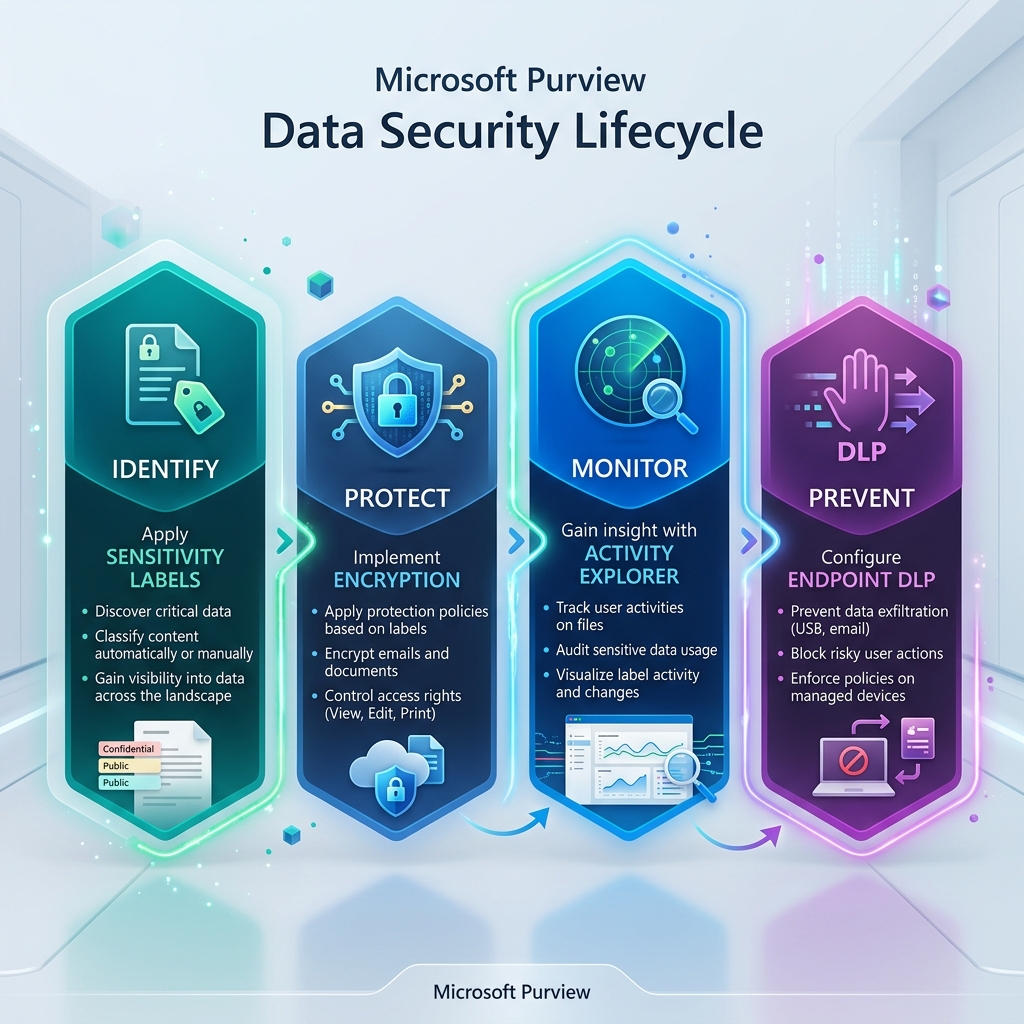 Microsoft Purview Data Security Lifecycle
Data is no longer just "stored"; it is used, shared, and moved across a dizzying array of endpoints and cloud services. Microsoft Purview (formerly Azure Purview and M365 Compliance) provides the framework to govern this data, but a successful deployment requires more than just turning on features. It requires a strategic "Data-Centric" architecture.
In this guide, we’ll move beyond the basics and dive into a detailed, real-world deployment strategy for Information Protection, Endpoint DLP, and advanced Device Controls.
1. Pre-Deployment: Setting the Governance Foundation
Before technical implementation, you must define your "Data DNA."
Licensing & Prerequisites
- The E5 Requirement: While E3 provides basic manual labeling, you need Microsoft 365 E5 (or the E5 Compliance Add-on) for the heavy hitters: Auto-labeling, Endpoint DLP, and Device Control.
- RBAC (Role-Based Access Control): Do not use Global Admin for daily tasks.
- Compliance Administrator: Full access to the portal.
- Information Protection Admin: Specifically for label management.
- Compliance Data Investigator: For viewing actual sensitive content in alerts (highly restricted).
2. Phase 1: Detailed Information Protection (Sensitivity Labels)
Sensitivity labels are the persistent "metadata" that travels with the file. If you encrypt a file and put it on a USB, the protection stays with the file.
Recommended Label Taxonomy (Real-World Example)
| Parent Label | Sub-label | Protection Setting | Use Case |
|---|---|---|---|
| :--- | :--- | :--- | :--- |
| 01. Public | (None) | None | Marketing, PR, publicly available info. |
| 02. General | (None) | None | Standard business work; no sensitive data. |
| 03. Confidential | Internal Only | Watermark: "Internal" | Standard PII, internal project docs. |
| Finance | Encryption (Finance Group) | Payroll, quarterly results, tax docs. | |
| HR | Encryption (HR Group) | Employee records, salary reviews. | |
| 04. Highly Restricted | CEO/Board | Encryption (Specific IDs) | M&A docs, executive strategy. |
| Project X | Encryption (Project Group) | Top-secret R&D or restricted projects. |
3. Phase 2: Advanced Endpoint DLP
Endpoint DLP monitors user actions on the local machine. Unlike network-based DLP, it can see what happens inside the session.
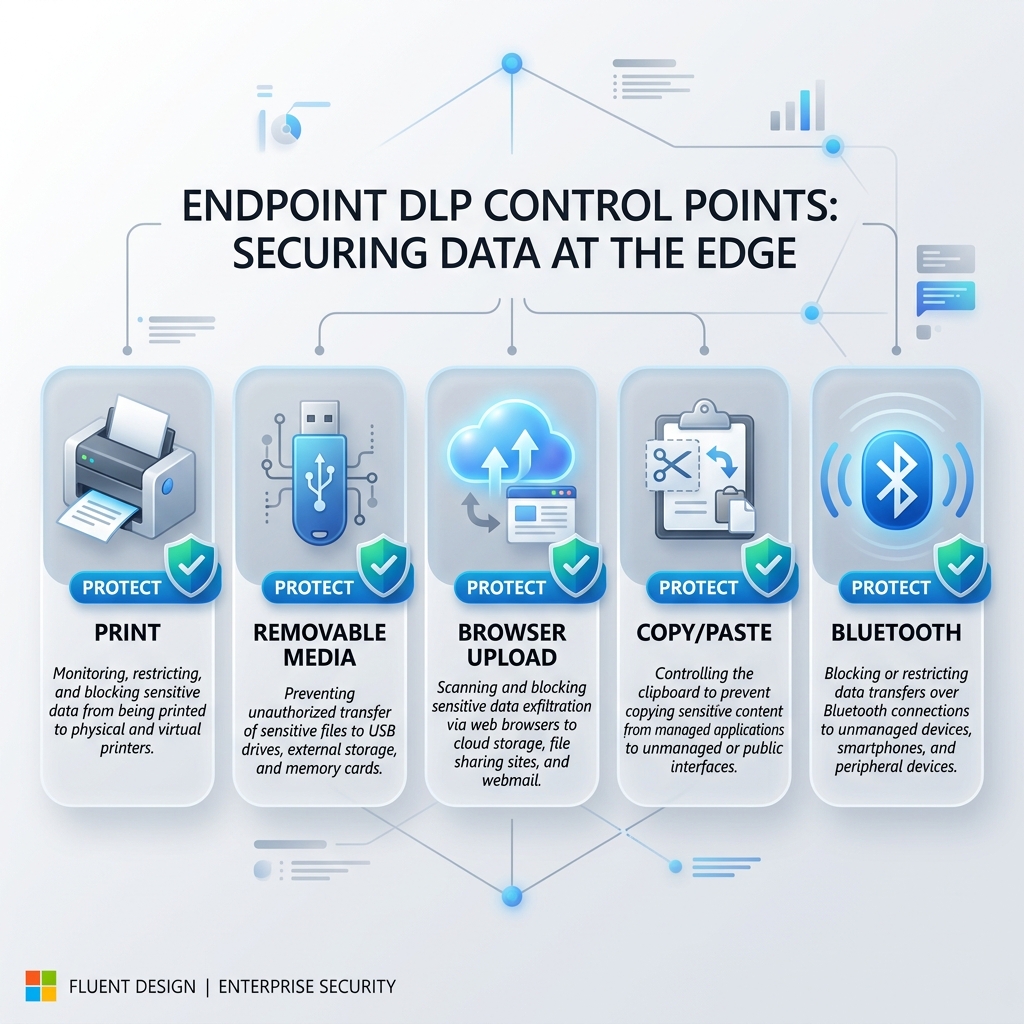 Endpoint DLP Actions
Expanded Deployment Examples for Endpoint DLP
| Control Point | Policy Action | Real-World Scenario | |
|---|---|---|---|
| :--- | :--- | :--- | :--- |
| Printing | Block Non-Corporate Printers | Prevent a user from printing a "Confidential" spreadsheet to their home inkjet or a "Print to PDF" virtual driver. | |
| Clipboard | Block Copy/Paste to Unsanctioned Apps | Stop a user from copying sensitive text from a corporate Word doc and pasting it into a personal Slack or Discord app. | |
| Bluetooth | Block Transfer | Prevent exfiltration of "Highly Restricted" files to a paired mobile phone or tablet via Bluetooth File Transfer. | |
| Remote Desktop | Block RDP Clipboard/Drive Mapping | Ensure that if a user RDPs into a corporate machine, they cannot drag and drop files back to their personal device. | |
| Screen Capture | Audit/Block | Monitor or prevent users from using Snipping Tool or PrintScreen on documents labeled as "Highly Restricted." |
4. Phase 3: Browser-Based Information Sharing
The browser is the most common point of data leakage. Purview offers two ways to control this: Native integration with Edge and the Microsoft Purview Extension for Chrome/Firefox.
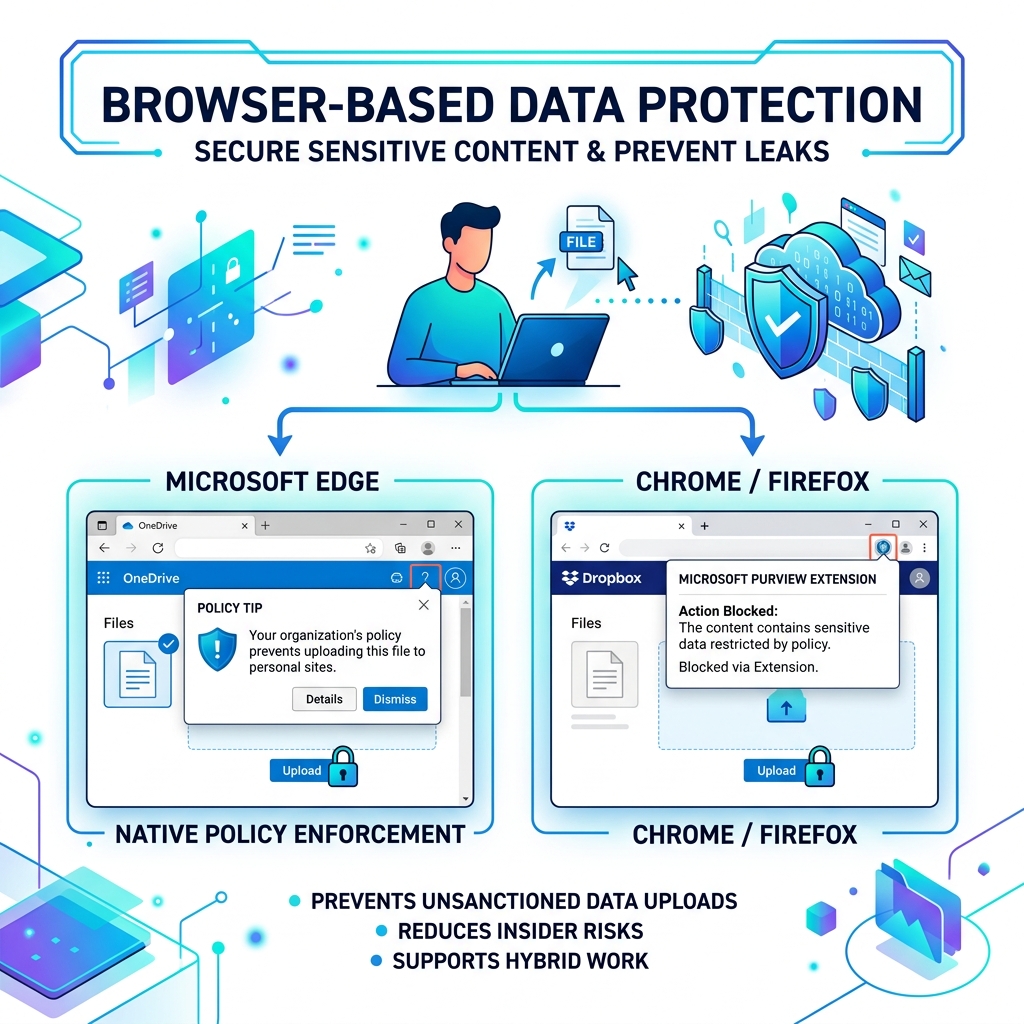 Browser Security Infographic
Controlling the "Unsanctioned" Web
You can define Service Domains and Domain Groups to control where data can be uploaded.- Sanctioned (Allowed):
.sharepoint.com,.outlook.com, corporate CRM URLs. - Unsanctioned (Blocked/Audited):
dropbox.com,gmail.com,wetransfer.com.
The "Generative AI" Challenge
Many organizations are now using Purview to manage data sharing with AI tools:- The Scenario: A user tries to paste sensitive source code into ChatGPT or Claude.
- The Solution: Use Endpoint DLP to block the "Paste" action to specific "AI" Service Domains if the source content is classified as "Confidential."
5. Phase 4: Mastering Device Control (USB)
Instead of a "Nuclear Option" (blocking all USBs), use hardware IDs (VID/PID) to create a "Trust Circle."
- Identify Trusted Devices: Use PowerShell
Get-PnpDeviceto find the Vendor ID (VID) and Product ID (PID) of your corporate encrypted drives. - Define Groups: Create a "Corporate USB" group in the Purview settings.
- Apply Logic: Set your DLP policy to:
- Allow full access to "Corporate USB" group.
- Read-Only for all other USB devices.
- Block copy actions for "Confidential" files to any USB not in the corporate group.
6. Real-World Case Studies
Scenario: The "Home Office" Leak
- User: A Finance employee working from home.
- Action: Tries to print a payroll list to a local USB printer.
- Purview Response: Endpoint DLP detects the "Print" action on a "Confidential" file. It checks the printer ID—since it’s not a corporate-managed printer, the action is Blocked with a Policy Tip explaining the company policy.
Scenario: The "Cloud Sync" Bypass
- User: Attempts to sync their "Work" folder to a personal Google Drive desktop app.
- Purview Response: Endpoint DLP monitors the "Copy to Cloud Sync Folder" action. It identifies the Google Drive sync agent and blocks the transfer of any labeled files.
7. Critical Considerations: The "Fine Print"
- Co-Authoring: Ensure "Co-authoring for files with sensitivity labels" is enabled in your tenant, or users will be forced into "Read-Only" mode when multiple people open an encrypted file.
- Double Key Encryption (DKE): For ultra-sensitive data (e.g., Swiss Bank accounts), DKE ensures even Microsoft cannot decrypt your data. This requires a separate key store managed by you.
- macOS Onboarding: macOS requires the Microsoft Purview Extension and can be managed via Intune or Jamf Pro.
8. Deployment Roadmap: The "Success" Sequence
- Month 1 (Visibility): Labels with no protection + Endpoint DLP in Audit Mode. Use Activity Explorer to see your data "flow."
- Month 2 (Education): Enable Policy Tips. Let users know why their actions are being monitored.
- Month 3 (Protection): Enable Encryption for Confidential labels. Move DLP to Block with Override.
- Month 4 (Enforcement): Move to Hard Blocks for exfiltration points like USB and Unsanctioned Browsers.
Conclusion
Microsoft Purview is not a "Set and Forget" tool. It is a living governance framework. By layering Information Protection with granular Endpoint and Browser controls, you build a security posture that is invisible to the user when they do the right thing, and impenetrable when they do the wrong thing.